Error-First Pattern: Writing Self-Documenting Bash
There’s a pattern in shell scripts that makes code harder to read than it needs to be. It looks like this:
if [[ -f "$config_file" ]]; then
  if [[ -r "$config_file" ]]; then
    source "$config_file"
    if [[ -n "$DATABASE_URL" ]]; then
      connect_to_database
      if [[ $? -eq 0 ]]; then
        run_migrations
        # ... and so on
      else
        echo "Connection failed" >&2
        exit 1
      fi
    else
      echo "DATABASE_URL not set" >&2
      exit 1
    fi
  else
    echo "Config not readable" >&2
    exit 1
  fi
else
  echo "Config not found" >&2
  exit 1
fi
You’ve seen this. You’ve probably written this. I haven’t. Sorry, not sorry.
The logic is deeply nested, the error messages are scattered, and the happy path—what the script is actually trying to do—is buried somewhere in the middle. To understand what this code does when everything goes right, you have to mentally filter out all the failure branches.
There’s a better way.
Flip It: Handle Errors First
The error-first pattern (also called the Bouncer Pattern, or the Zero-Indent Philosophy) inverts the structure. Instead of nesting success cases and handling errors in else blocks, you check for problems immediately, handle them, and move on. The happy path stays flat.
[[ -f "$config_file" ]] || { echo "Config not found" >&2; exit 1; }
[[ -r "$config_file" ]] || { echo "Config not readable" >&2; exit 1; }

source "$config_file"

[[ -n "$DATABASE_URL" ]] || { echo "DATABASE_URL not set" >&2; exit 1; }

connect_to_database || { echo "Connection failed" >&2; exit 1; }

run_migrations
Same logic. Same error handling. But now the structure is flat. Each line is a precondition: if it fails, we stop. If it passes, we continue to the next line.
Reading this code is like reading a checklist:
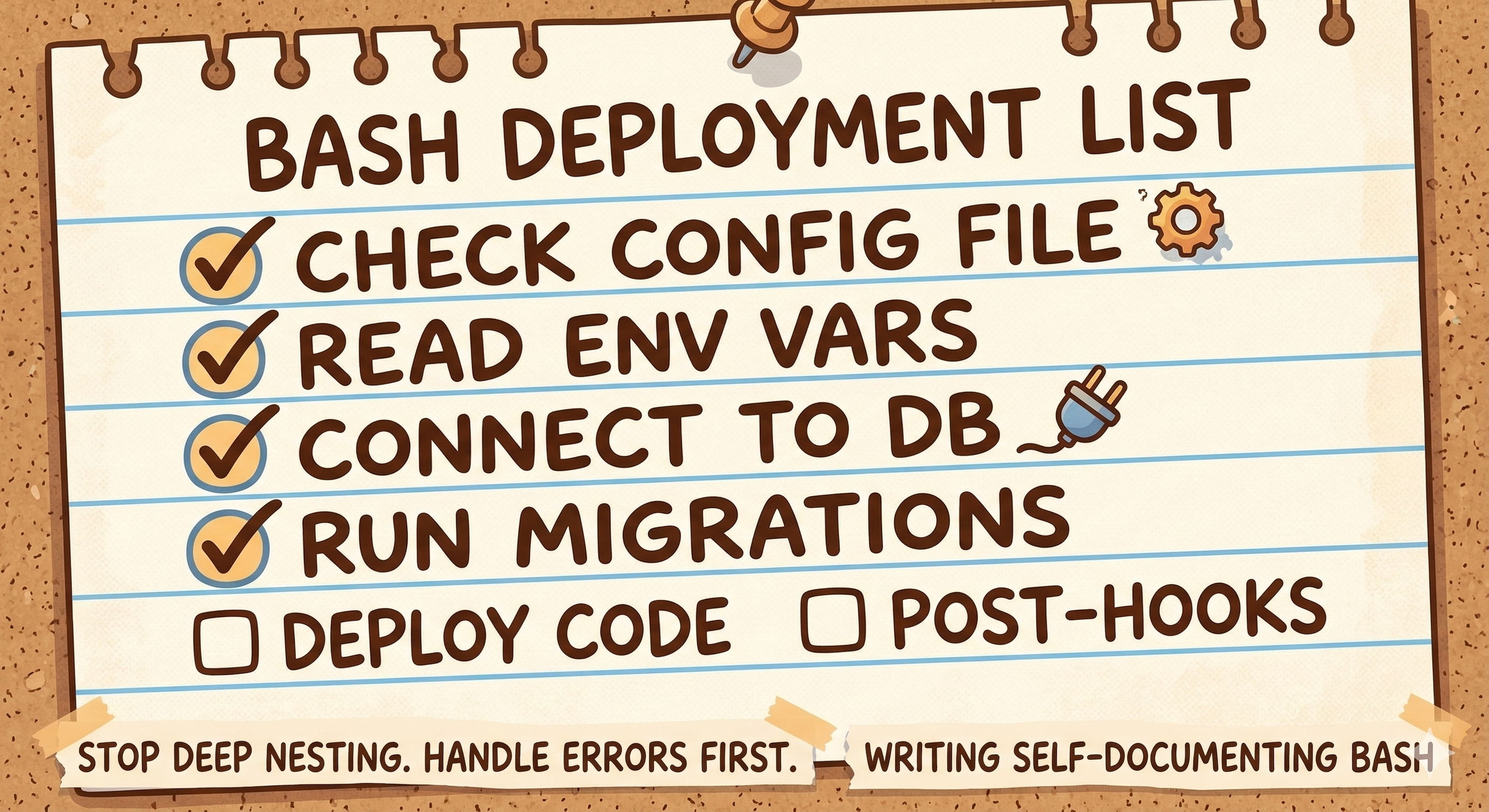
The happy path is the left margin. Errors are handled inline, immediately visible next to the condition that triggers them.
Master Production-Grade Bash
I'm writing Bash: The Developer's Approach—a comprehensive guide to professional shell scripting. Learn how to build robust, maintainable, and performant Bash code that scales beyond quick scripts.
Get a head start with my free Production Best-Practices Checklist and the Predicate Helpers library—practical tools you can use immediately.
Get Your Free ToolkitThe Pattern: condition || die
The core idiom is simple:
some_condition || { handle_error; exit 1; }
The || (or) operator short-circuits (as in every other programming language, I think) and the rightmost operation runs only
if the leftmost failed (i.e. it returns a non-zero exit code).
For cleaner code, there’s a little trick we can borrow from Perl: if we define a die() function like:
die() {
  printf '%s\n' "$*" >&2
  exit 1
}
then the code reads really clearly:
[[ -f "$config_file" ]] || die "Config not found: $config_file"
[[ -r "$config_file" ]] || die "Config not readable: $config_file"
Now each precondition is a single, readable line. The error message sits right next to the check, so you know immediately what failure looks like.
Long lines break nicely on the || operator:
some_command with a long list of arguments \
  || die "Command failed: some_command"
Bringing the || operator to the new line makes the link to the previous line explicit—you immediately see “this is a continuation that handles failure.”
Why This Works Better
1. The happy path is obvious.
When you read error-first code, the main flow is clear. Each line either validates something or does something. No mental gymnastics to trace through nested branches.
2. Errors are handled where they’re detected.
The error message for “file not found” is on the same line as the file check. You don’t have to scroll to a distant else block to understand what happens when the check fails.
3. Early exit prevents impossible states.
Once you pass a precondition, you know it’s true for the rest of the script. No need to check again. No defensive “just in case” checks deeper in the code.
4. Less indentation, more clarity.
Deeply nested code is hard to scan. Flat code is easy. Each level of indentation is cognitive load; error-first minimizes it.
Common Patterns
File preconditions:
[[ -f "$input" ]] || die "Input file not found: $input"
[[ -r "$input" ]] || die "Input file not readable: $input"
[[ -d "$output_dir" ]] || die "Output directory missing: $output_dir"
[[ -w "$output_dir" ]] || die "Output directory not writable: $output_dir"
Required variables:
[[ -n "${API_KEY:-}" ]] || die "API_KEY environment variable required"
[[ -n "${1:-}" ]] || die "Usage: $0 <filename>"
Command success:
cd "$project_dir" || die "Cannot change to project directory"
git pull || die "Git pull failed"
make || die "Build failed"
Compound conditions:
[[ -f "$file" && -r "$file" ]] || die "File must exist and be readable: $file"
A Better die Function
A minimal die is just a few lines, but you can make it more useful:
die() {
  local code=1
  if [[ "$1" =~ ^-[0-9]+$ ]]; then
    code=${1#-}
    shift
  fi
  printf '%s\n' "$*" >&2
  exit "$code"
}
Now you can specify exit codes:
die -2 "Usage: $0 <filename>"    # Exit code 2 for usage errors
die "Something went wrong"       # Default exit code 1
You might also add a warn function for non-fatal messages:
warn() {
  printf '%s\n' "$*" >&2
}

warn "Deprecated option used; consider updating"
Master Production-Grade Bash
I'm writing Bash: The Developer's Approach—a comprehensive guide to professional shell scripting. Learn how to build robust, maintainable, and performant Bash code that scales beyond quick scripts.
Get a head start with my free Production Best-Practices Checklist and the Predicate Helpers library—practical tools you can use immediately.
Get Your Free ToolkitError-First vs. Strict Mode
Bash offers set -e (errexit) to automatically exit on command failures. Some scripts use this instead of explicit checks:
set -e
cd "$project_dir"
git pull
make
This works, but has sharp edges. When a command fails, the script exits — but whether you see an error message depends entirely on whether the failing command printed one. The script itself says nothing. Error reporting is implicit and accidental: you’re relying on every command in the chain to communicate its own failure clearly. And any unguarded command — one you forgot to protect with || true or an explicit check — becomes a silent landmine. On top of that, set -e has complex rules about which failures trigger an exit and which don’t (conditionals, pipelines, command substitutions…).
Error-first gives you control. You decide which failures are fatal. You provide meaningful messages. You avoid the subtle gotchas of set -e.
That said, both approaches are valid. Some teams prefer strict mode for its brevity; others prefer error-first for its explicitness. The important thing is consistency—pick a style and stick with it.
When to Use Traditional if
Error-first doesn’t mean “never use if.” Some situations call for branching logic:
When both branches do significant work:
if [[ -f "$cache" ]]; then
  load_from_cache "$cache"
else
  fetch_from_network
  save_to_cache "$cache"
fi
When you need elif:
if [[ "$format" == "json" ]]; then
  parse_json "$input"
elif [[ "$format" == "csv" ]]; then
  parse_csv "$input"
else
  die "Unknown format: $format"
fi
When the condition is complex and deserves emphasis:
if ! validate_input "$data"; then
  log_validation_failure "$data"
  notify_admin "Validation failed for $data"
  exit 1
fi
Use if when branching is the point. Use error-first when you’re just guarding preconditions.
Putting It Together
Here’s a realistic script using error-first throughout:
#!/usr/bin/env bash

die() { printf '%s\n' "$*" >&2; exit 1; }

# Preconditions
[[ -n "${1:-}" ]] || die "Usage: $0 <project-dir>"
project_dir=$1

[[ -d "$project_dir" ]] || die "Not a directory: $project_dir"
cd "$project_dir" || die "Cannot enter: $project_dir"
[[ -f "Makefile" ]] || die "No Makefile found in $project_dir"

# Main logic (happy path)
printf 'Building %s...\n' "$project_dir"

make clean || die "make clean failed"
make || die "Build failed"
make test || die "Tests failed"

printf 'Build successful.\n'
Clean, flat, readable. Each precondition is clear. The happy path flows naturally. Errors are immediate and informative.
The Takeaway
Error-first is about making your code honest. Instead of hiding failure handling in nested else blocks, you acknowledge upfront: “Here’s what could go wrong, and here’s what we do about it.”
The result is code that reads like a narrative: check, check, check, proceed. Each precondition is a promise to the code that follows. And when something fails, the error message is right there—no hunting required.
Try it on your next script. Flatten the nesting. Handle errors first. You’ll wonder why you ever did it the other way.
Want to write production-grade Bash from day one? Get the free Bash Production Toolkit—includes ready-to-use die() and warn() helpers plus safe scripting patterns you can apply immediately.
Bash: The Developer’s Approach (coming soon) explores both error-handling philosophies in depth—strict modes and error-first—so you can choose the right approach for each situation. We show you how to build robust scripts that fail gracefully and communicate clearly.
Master Production-Grade Bash
I'm writing Bash: The Developer's Approach—a comprehensive guide to professional shell scripting. Learn how to build robust, maintainable, and performant Bash code that scales beyond quick scripts.
Get a head start with my free Production Best-Practices Checklist and the Predicate Helpers library—practical tools you can use immediately.
Get Your Free Toolkit